01
Arrow Remote
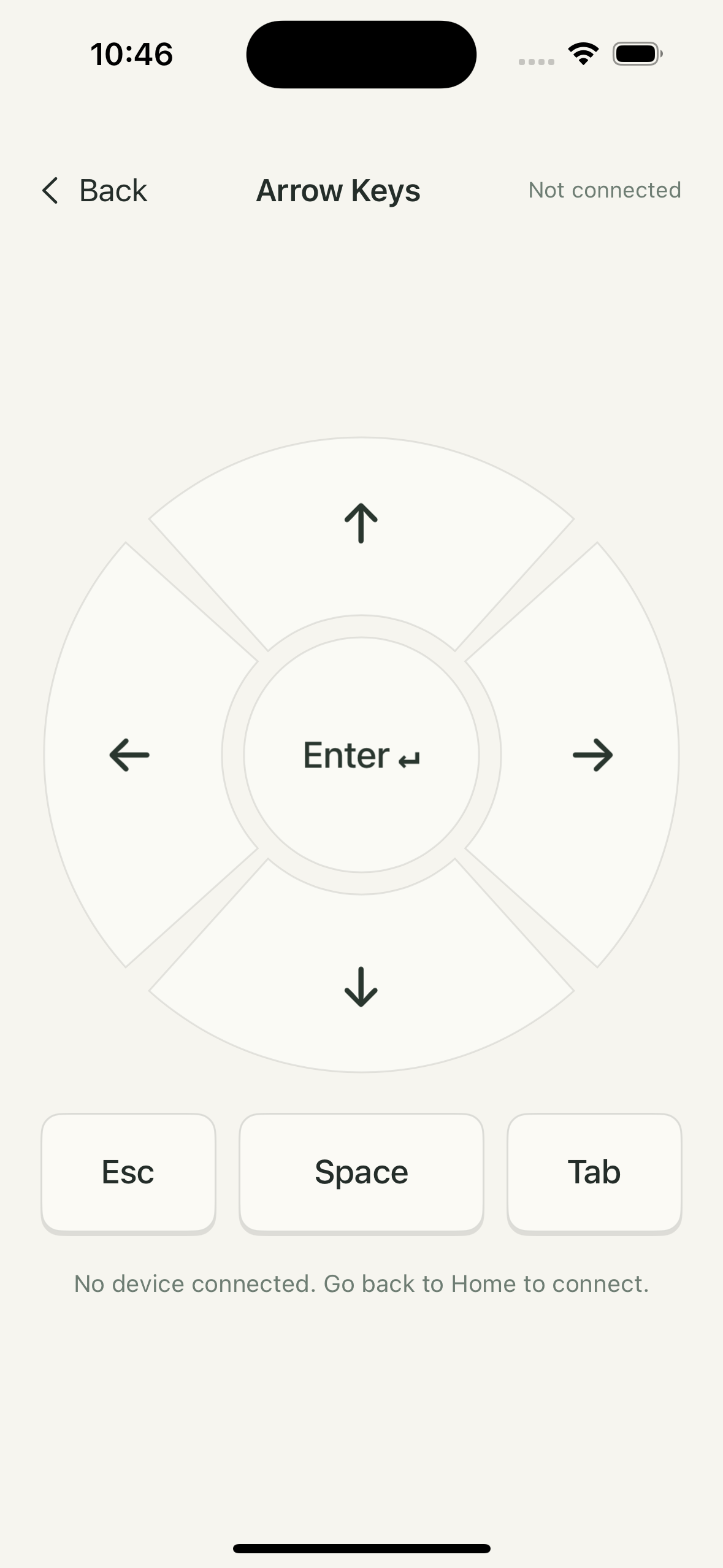
A directional pad, Enter, Esc, Space and Tab. Turn pages or control playback in a few taps.

Pocket Board turns your iPhone into a Bluetooth keyboard, mouse and video remote.
No getting up. No extra device to carry.
Watch, read or enter numbers. Give your phone another role.

Six everyday moments your phone can make easier.
Once safely parked, steering-wheel controls or the in-car screen can be hard to reach when reclining. Keep your phone at hand to switch content on devices and apps that accept mouse input.
Drivers may use this only when safely parked. Do not operate the phone or watch videos while driving. Passenger use must not distract the driver.
Rewind a little to catch the words you missed.
Skip ahead or pause whenever you like.
Keep your tablet at a comfortable reading angle.
Lean back and turn pages with a gentle tap.
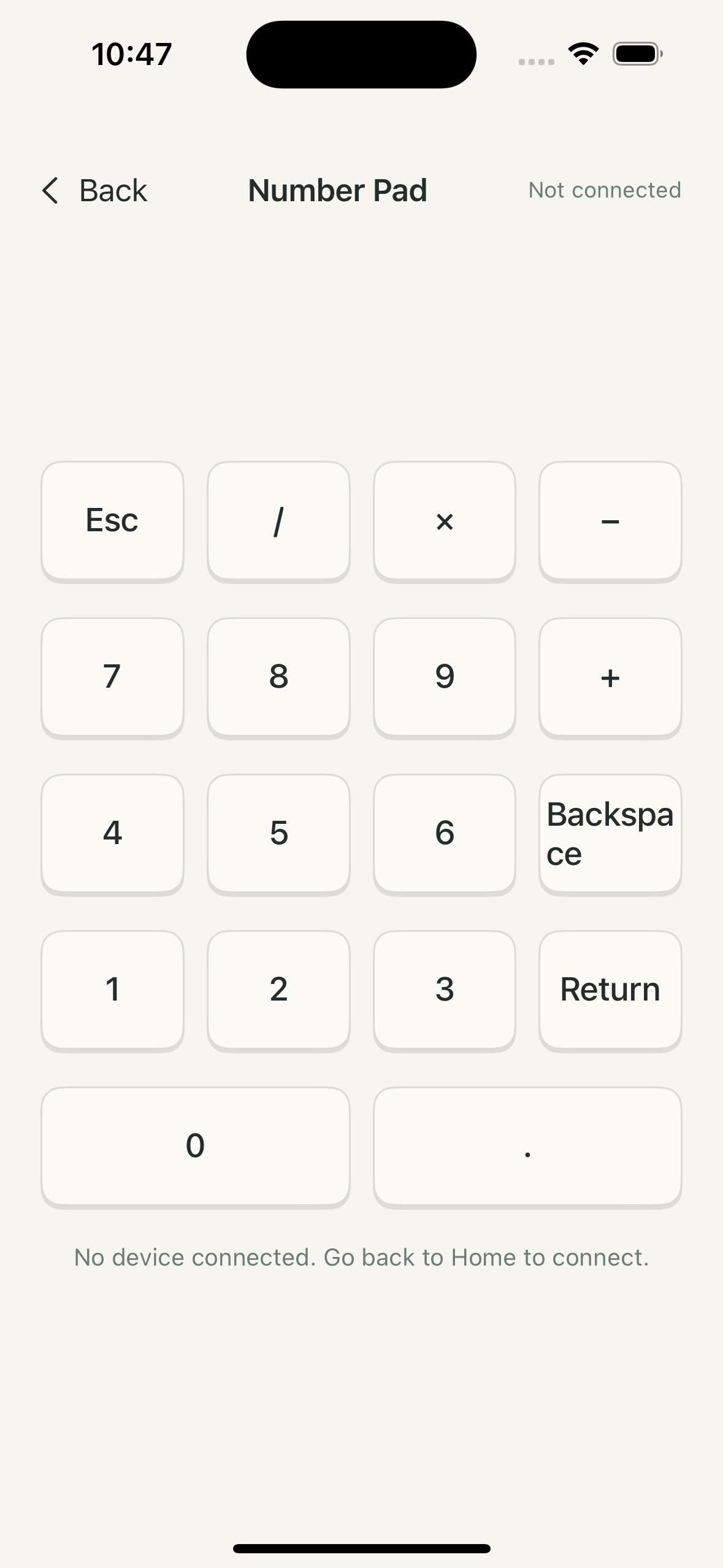
Looking up a stock code on a keyboard with no number pad?
Set your phone beside it. Enter the code and press Return.
Enter settings and navigate menus on a display.
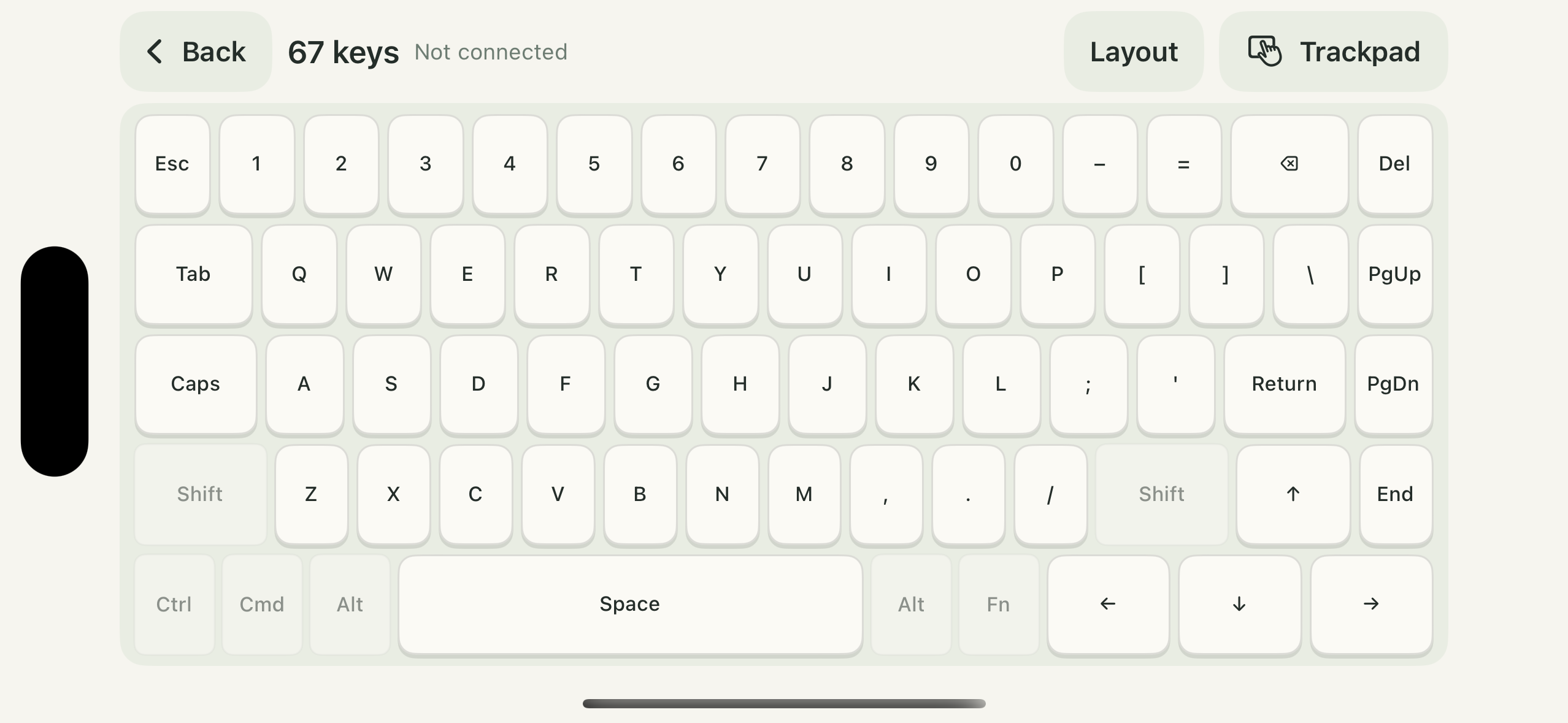
Turn your phone sideways and finish with the full keyboard.
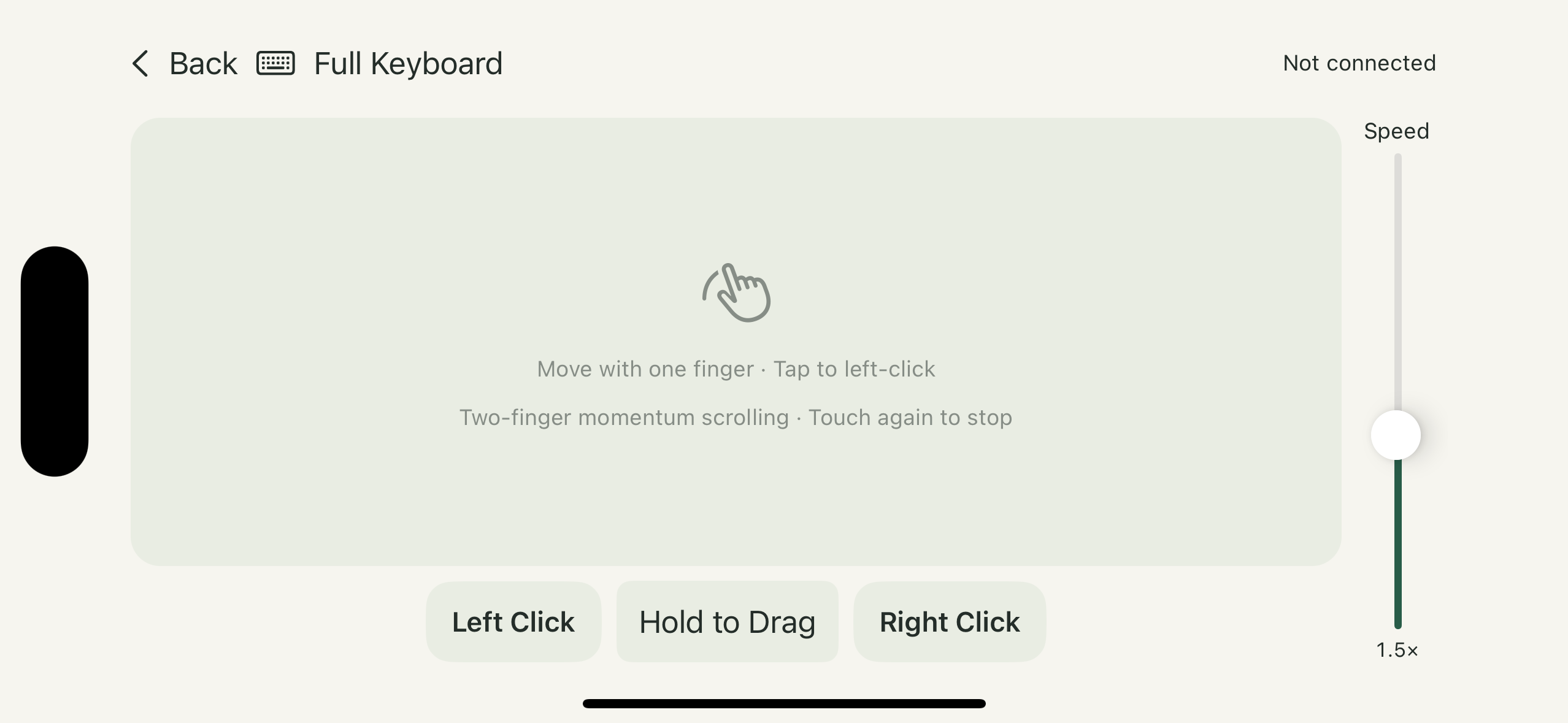
Your computer is on the desk. Your phone is in your hand.
Move with one finger, tap to click, scroll with two.
Pick another video or click a window without getting up.
Simple tools, right at hand.
A directional pad, Enter, Esc, Space and Tab. Turn pages or control playback in a few taps.
Numbers, operators, Backspace and Return. Add a number pad beside your physical keyboard.
59, 67 or 81 keys in landscape, with a quick switch to the trackpad.
One-finger movement, tap to click and two-finger momentum scrolling. Hold to drag and adjust sensitivity.
A remote for content that moves up and down
Two large buttons: previous and next. Keep your phone at hand and find each control by position, with fewer glances away from the big screen.
Choose mouse-wheel scrolling or a simulated swipe, and adjust direction and strength. Simulated swipes use a mouse press and drag.
Once safely parked and reclining, steering-wheel controls or the in-car screen may be hard to reach. Keep your phone at hand to switch content on receiving devices and apps that accept mouse input, or for permitted passenger entertainment.
Watch on the big screen
The receiving device and app must accept mouse input; keyboard-only connections are unsupported. A simulated swipe is not native touch input. Results depend on the device, OS and app; compatibility is not universal.
Drivers may use this only when safely parked. Do not operate the phone or watch videos while driving. Passenger use must not distract the driver.
Open the connection page on your iPhone and allow Bluetooth connections.
Follow the app’s instructions. The receiving device must support Bluetooth keyboard or mouse input and allow pairing.
Keep the app in the foreground. Switch between arrow keys, numbers, the full keyboard and the trackpad.
Connection steps and shortcuts vary by device and software. For Mac, follow the dedicated in-app guide. A Mac on the same iCloud account may not show the expected Bluetooth name; that alone does not indicate connection status.
Pocket Board sends keyboard and trackpad input. The receiving app responds according to its shortcuts, such as arrow keys and Space in a media player.
Standard Bluetooth input uses the receiving device’s built-in support. Follow the in-app guide; steps vary across systems, especially on Mac.
Compatibility is not guaranteed for every model. The device must support the relevant Bluetooth input and allow pairing. Results also depend on its OS and software.
Yes. Disconnect on the previous device, then follow the app’s guide to connect to the next one.
Move with one finger, tap to left-click, scroll with two fingers, hold to drag, and use left and right buttons. Touch again to stop momentum scrolling. Pointer sensitivity is adjustable.
Pocket Board is available on the App Store. Arrow keys and the number pad are free. Pro adds full keyboards, the trackpad, video mode and themes, with an optional 7-day trial followed by a one-time purchase. There is no automatic renewal or charge. See the app for local pricing.
Pair a compatible device over Bluetooth, then open Pro video mode. Use the previous and next buttons to scroll or simulate mouse dragging, and adjust volume. The receiving device and app must support the relevant inputs; compatibility with every TV, video app or Mac is not guaranteed. Keep Pocket Board in the foreground on your iPhone while using it.
Pocket Board for iPhone
Download on the App Store ↗Available now · Requires iOS 17 or later
Share a Pocket Board Moment ↗